 TechDesk
Create your HQ
Register the business with your email or phone number, below. That becomes the HQ, and every code goes to it.
Connect your shops to a central HQ account and get a unified view of the business — on your desk, and on your phone with TechDesk Monitor. Head office is part of the Enterprise plan, with two branches included and more at $2.50 a month each.
A branch does not depend on head office to sell. It runs offline exactly as it always has, and sends up what it has done when it can reach the internet. HQ is the place those branches add up.
Branch B and Branch C join the same way: each one connects to the same HQ number.
Register the business with your email or phone number, below. That becomes the HQ, and every code goes to it.
In that shop's TechDesk: Settings → Connect to HQ, then your HQ email or number. We send the code to you, not to them.
The branch starts sending up its sales and repairs, and HQ holds the combined picture.
Sign in to TechDesk Monitor with the same HQ number to see the branches from your phone.
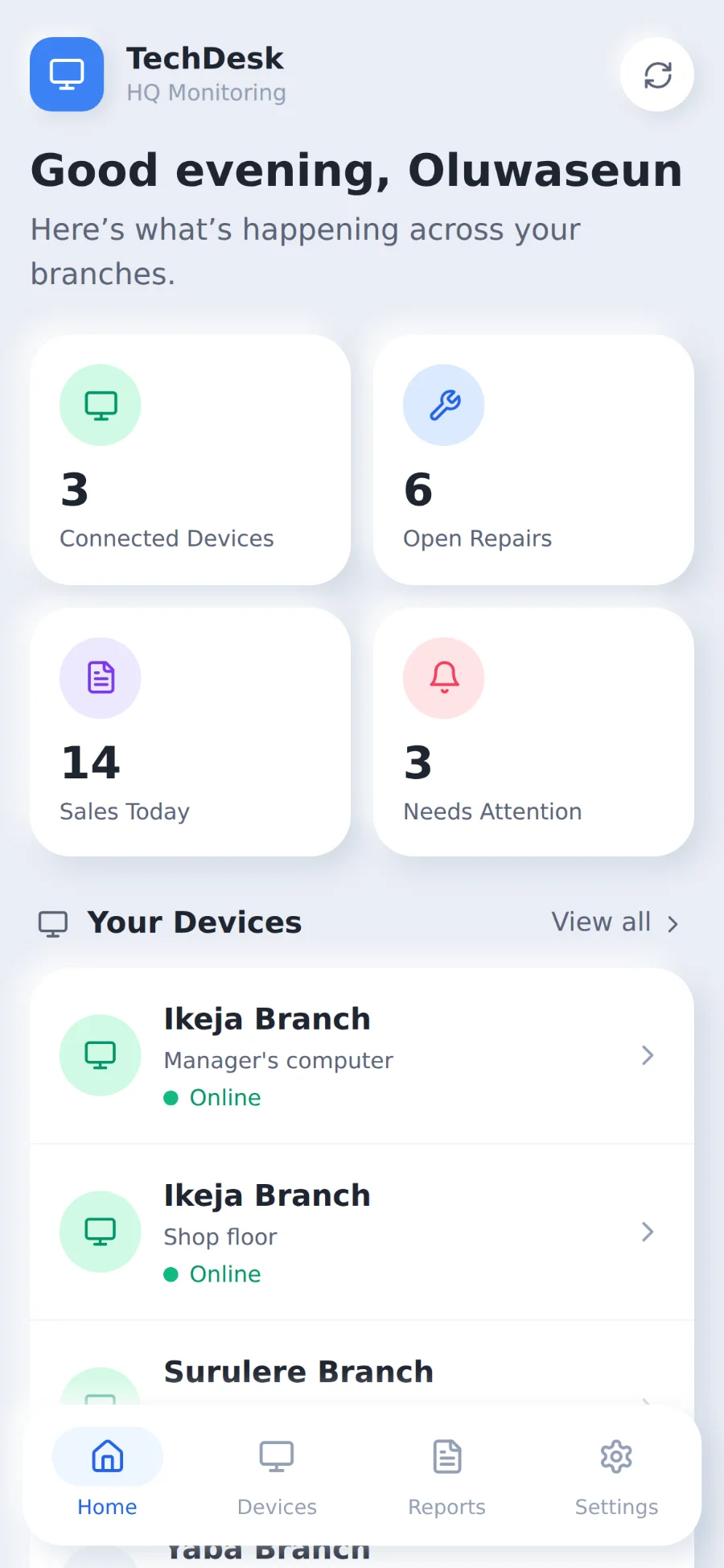
Monitor is the head office app. It shows the branches you have connected: which devices are online, how many sales were recorded today, how many repairs are still open, and what needs attention.
Read-only on purpose — it watches the shops, it cannot change them. You sign in with the same HQ number you register below.
The browser one works on any phone and installs to your home screen from the browser’s own menu. The Android app is TechDesk-Monitor-1.5.1.apk, Android 6.0 and up. Both sign in with the same HQ number.
Your business name, and the email or phone number head office will use. We'll send it a code to confirm it's yours.
Branch managers can now connect by typing into Settings → Connect to HQ. They'll contact you for the code.
Now get TechDesk Monitor